MARGN
EN
Log in Start free →
MARGN/Academy/My store/Reviews and AI replies

Reviews and AI replies

Protect your rating: unanswered reviews, complaint themes and automatic replies.

Store14 steps10 minStore screenshots use demo data.
Open in MARGN
1

Sharhlar — average rating, answered and unanswered reviews, 30-day trend.
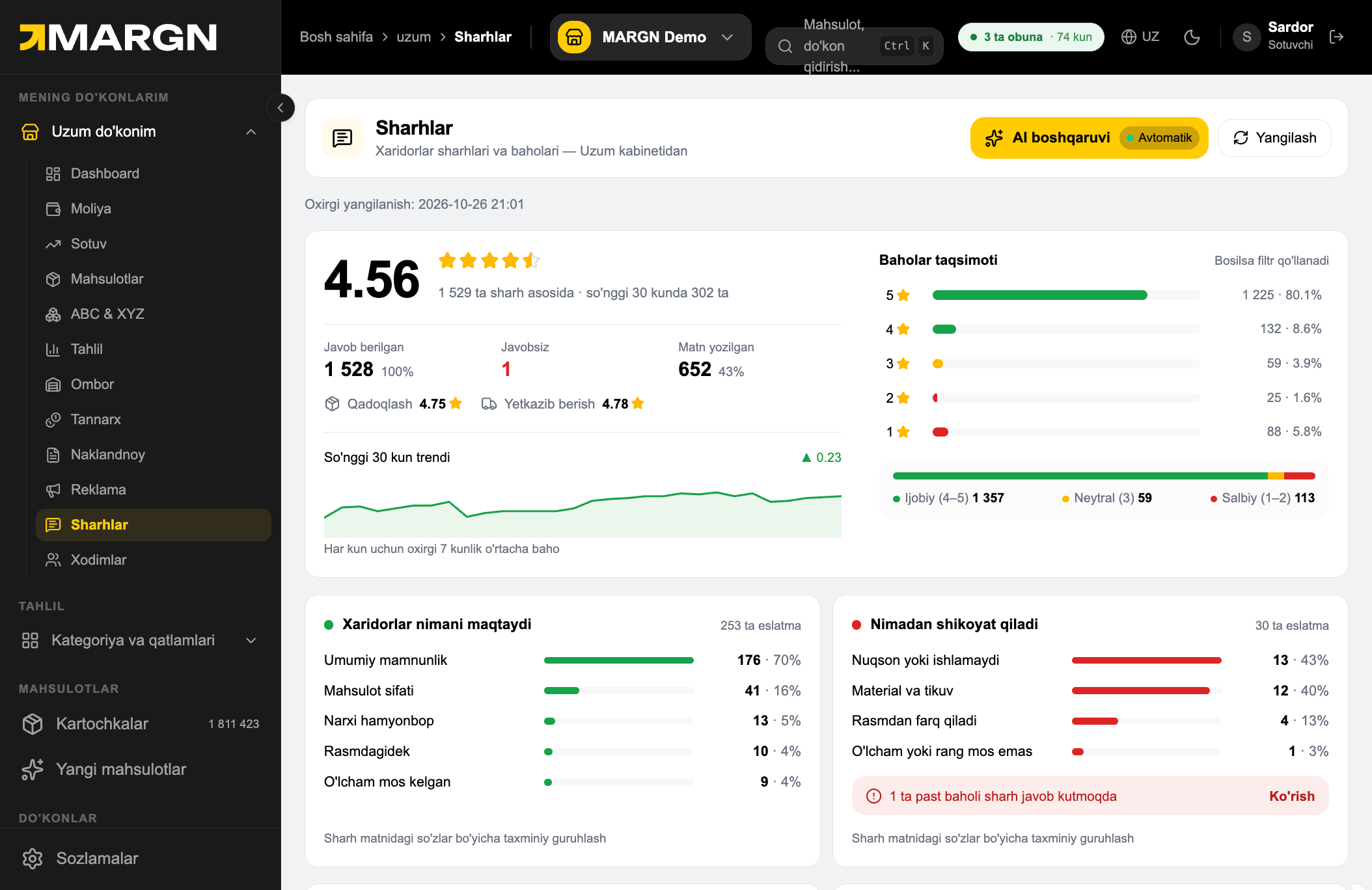
Step 1. Sharhlar — average rating, answered and unanswered reviews, 30-day trend. 1
2

Javobsiz counts reviews without a reply — keep it at zero.

Step 2. Javobsiz counts reviews without a reply — keep it at zero. 2
3

List tabs: All, Unanswered, Answered and Pinned.
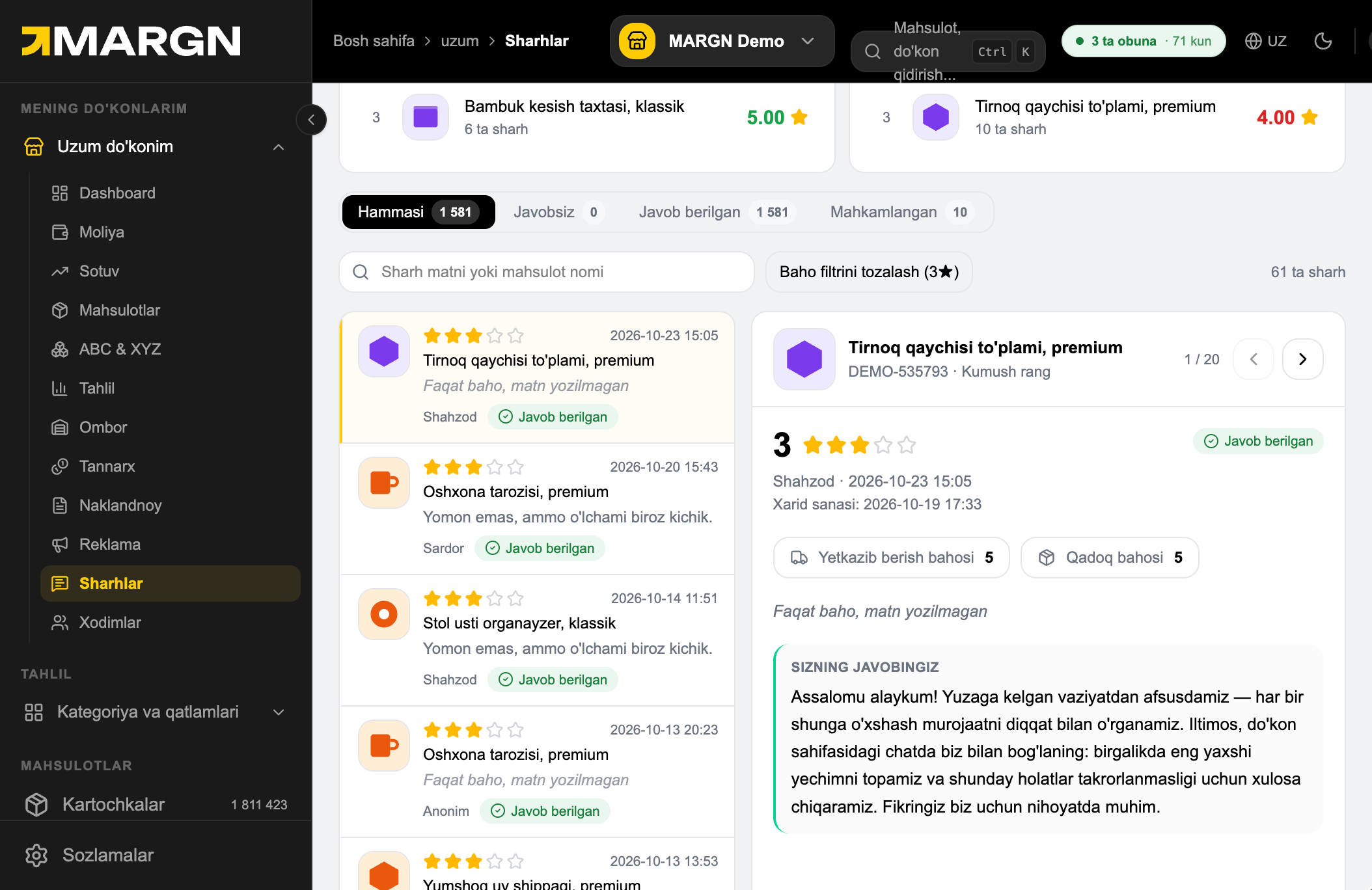
Step 3. List tabs: All, Unanswered, Answered and Pinned. 3
4

Click a star in the rating breakdown to filter the list; the chip clears the filter.

Step 4. Click a star in the rating breakdown to filter the list; the chip clears the filter. 4
5

What buyers praise and complain about, grouped automatically from review text.

Step 5. What buyers praise and complain about, grouped automatically from review text. 5
6

AI boshqaruvi turns on automatic replies to reviews.

Step 6. AI boshqaruvi turns on automatic replies to reviews. 6
7

AI settings window. The AI assistant switch turns it on; below: replies written today and the limit.
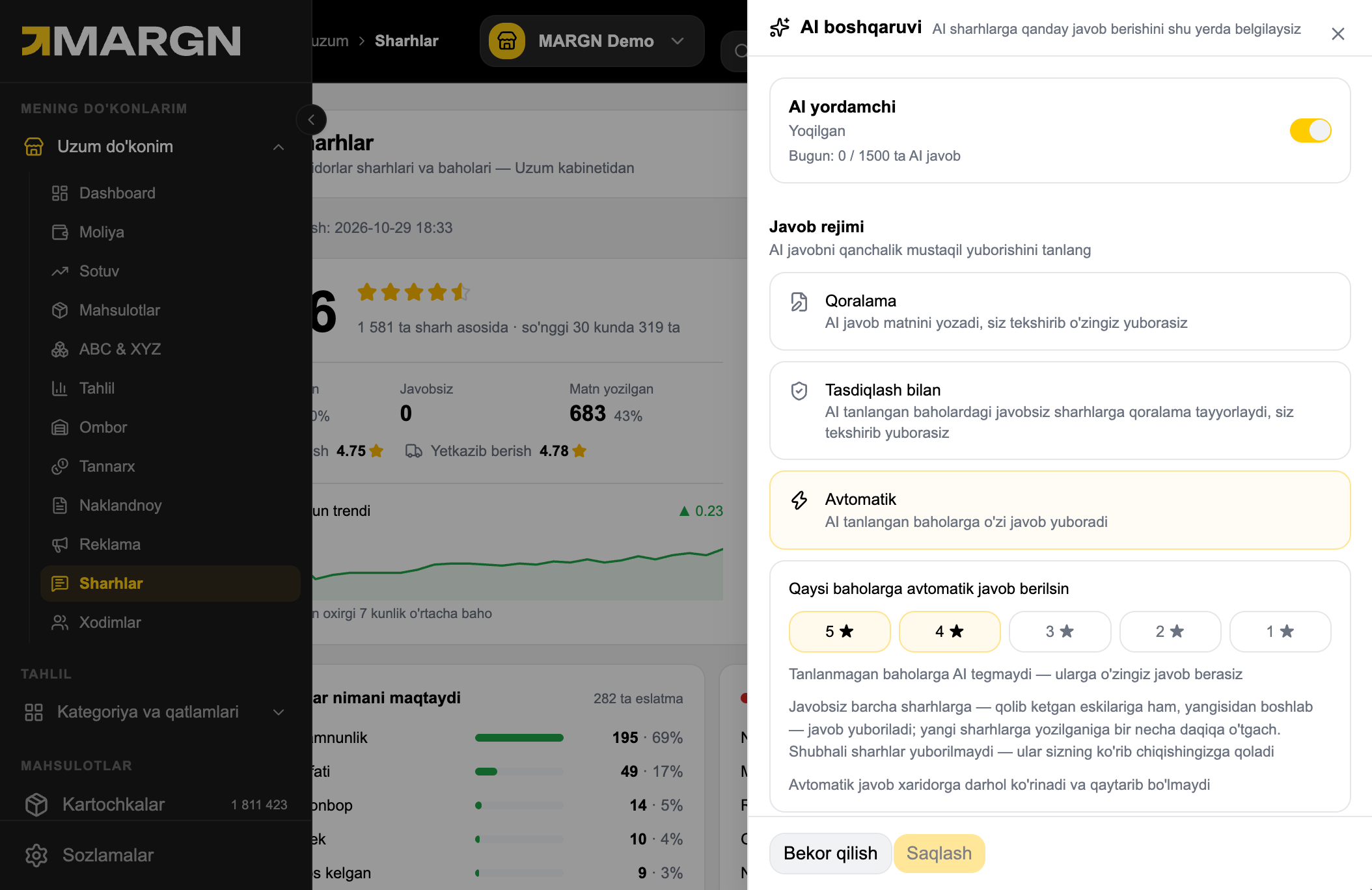
Step 7. AI settings window. The AI assistant switch turns it on; below: replies written today and the limit. 7
8

Reply mode: Draft — you review and send; With approval — drafts for chosen ratings; Automatic — AI sends on its own.

Step 8. Reply mode: Draft — you review and send; With approval — drafts for chosen ratings; Automatic — AI sends on its own. 8
9

Choose which star ratings get automatic replies. Suspicious reviews are never auto-sent.

Step 9. Choose which star ratings get automatic replies. Suspicious reviews are never auto-sent. 9
10

Tone (Friendly, Formal, Short) and reply language (match the buyer, Uzbek or Russian).
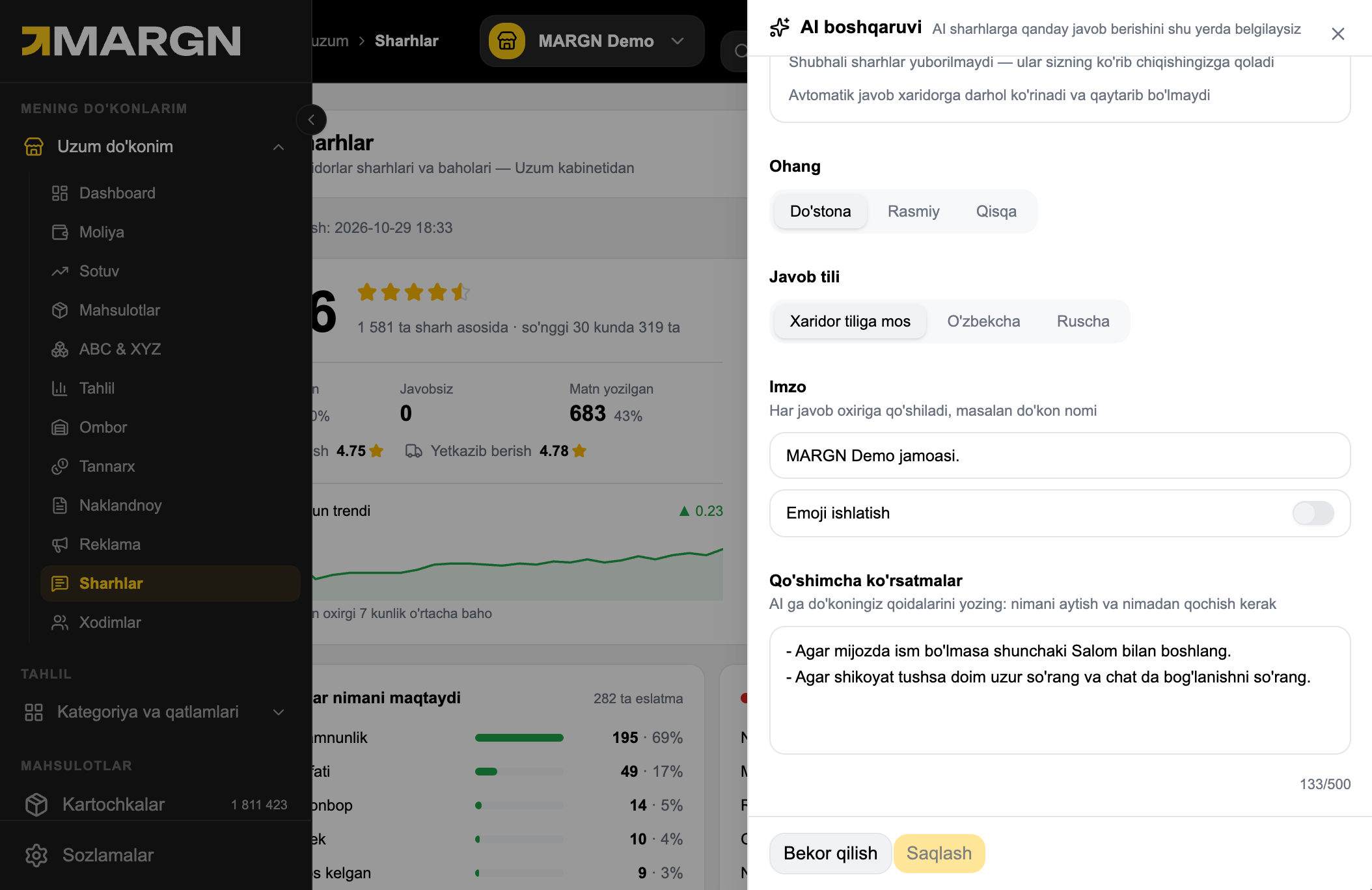
Step 10. Tone (Friendly, Formal, Short) and reply language (match the buyer, Uzbek or Russian). 10
11

Signature — added to the end of every reply, e.g. your store name. Emoji use is switched on here too.

Step 11. Signature — added to the end of every reply, e.g. your store name. Emoji use is switched on here too. 11
12

Extra instructions — your store rules for the AI (up to 500 characters). Then click Save.

Step 12. Extra instructions — your store rules for the AI (up to 500 characters). Then click Save. 12
13

Best-rated products and those that need attention, by average rating.
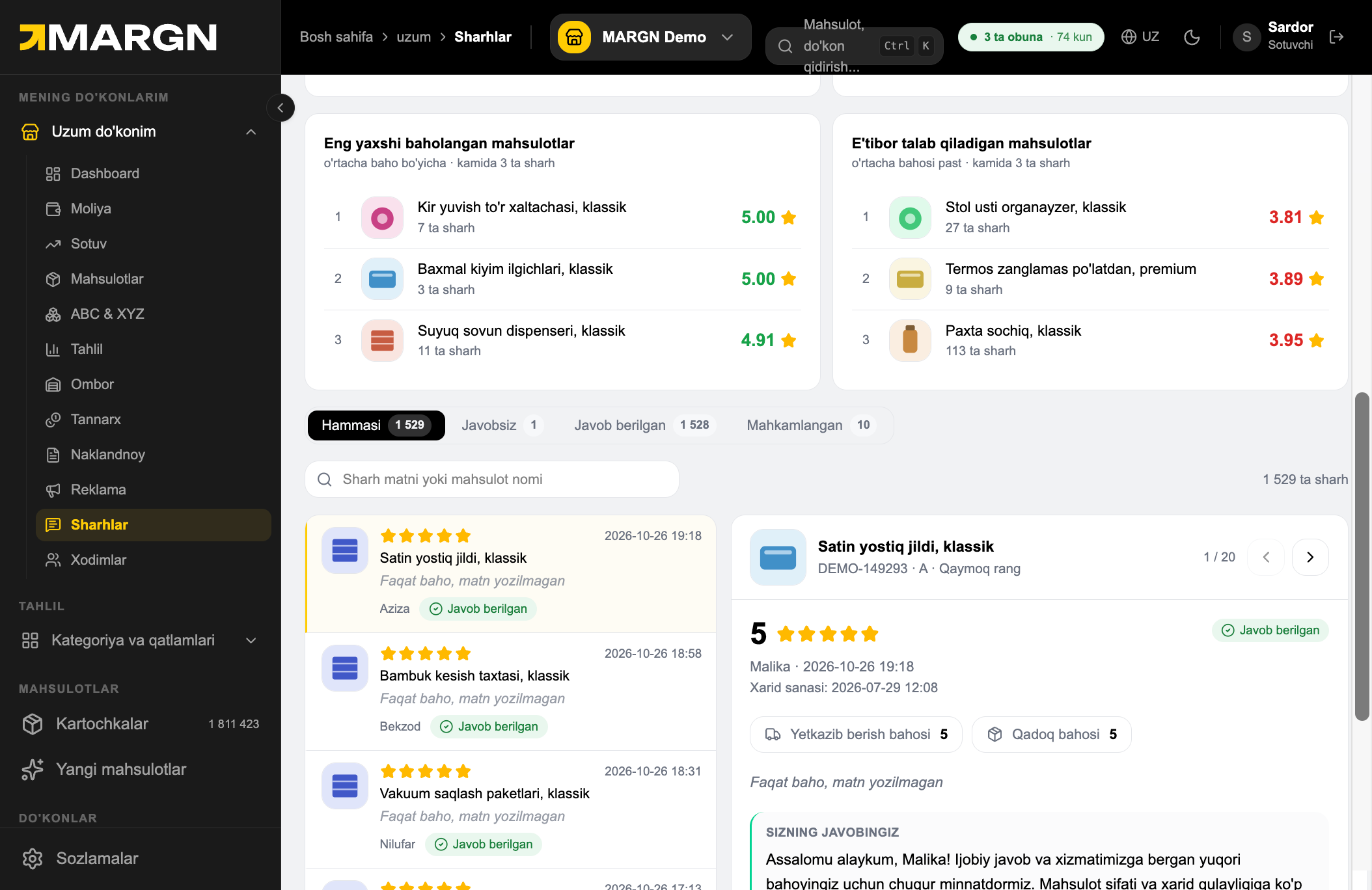
Step 13. Best-rated products and those that need attention, by average rating. 13
14

Pick a review to see its details and your reply on the right.

Step 14. Pick a review to see its details and your reply on the right. 14

14 days free — no card needed

Try everything from this guide on your own store.

Try 14 days free

Still have questions?

Message us on Telegram — we'll give you a 15-minute demo.

Message on Telegram