1
The Tannarx page. Cards: total SKUs, cost found in Uzum, entered manually, and missing in both.
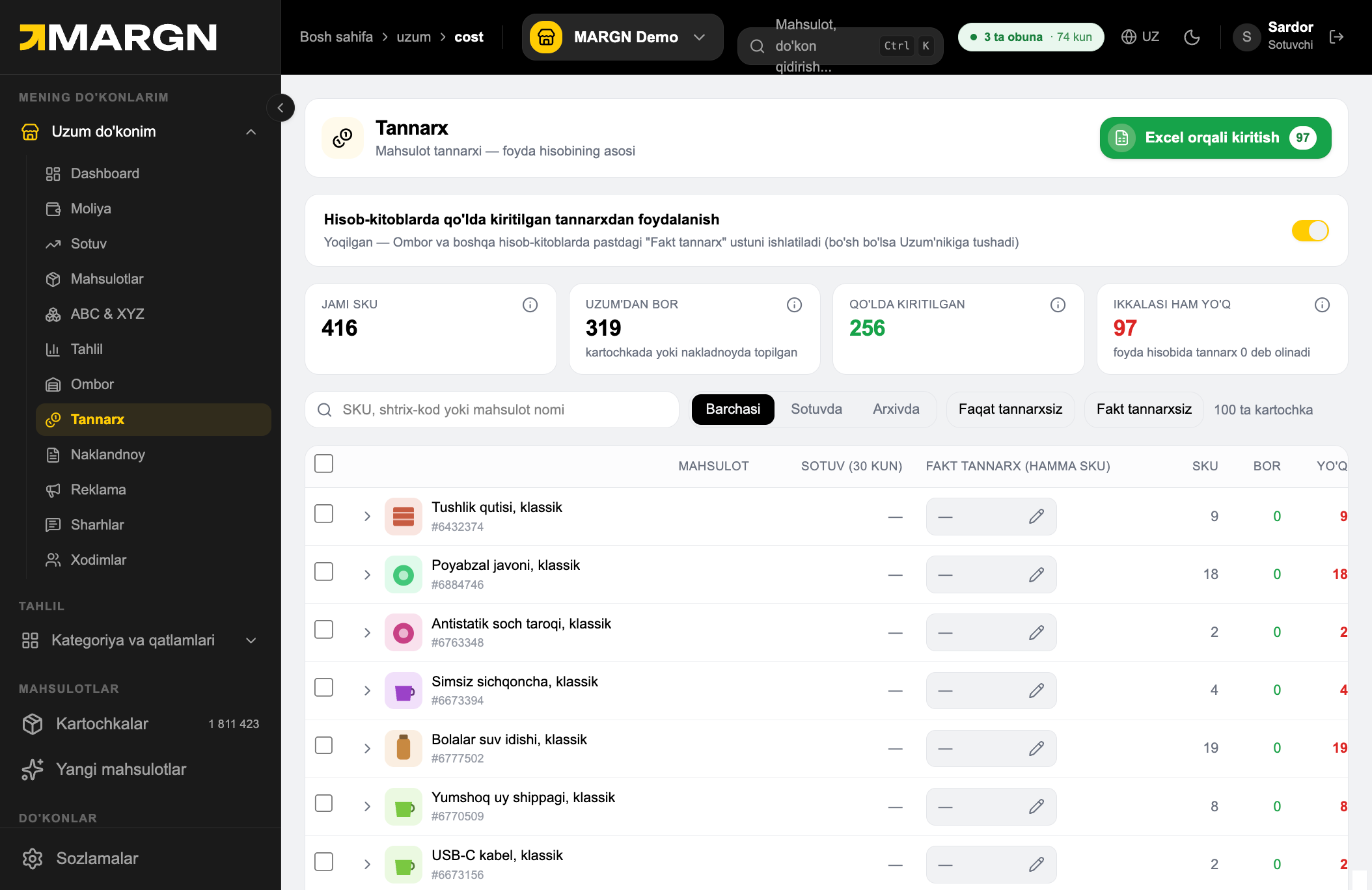

Without cost prices your net profit is wrong. Enter them in the table or via Excel in minutes.
The Tannarx page. Cards: total SKUs, cost found in Uzum, entered manually, and missing in both.
Ikkalasi ham yo'q — these SKUs count as zero cost. Fill them in first.
All / On sale / Archived — choose which products are listed.
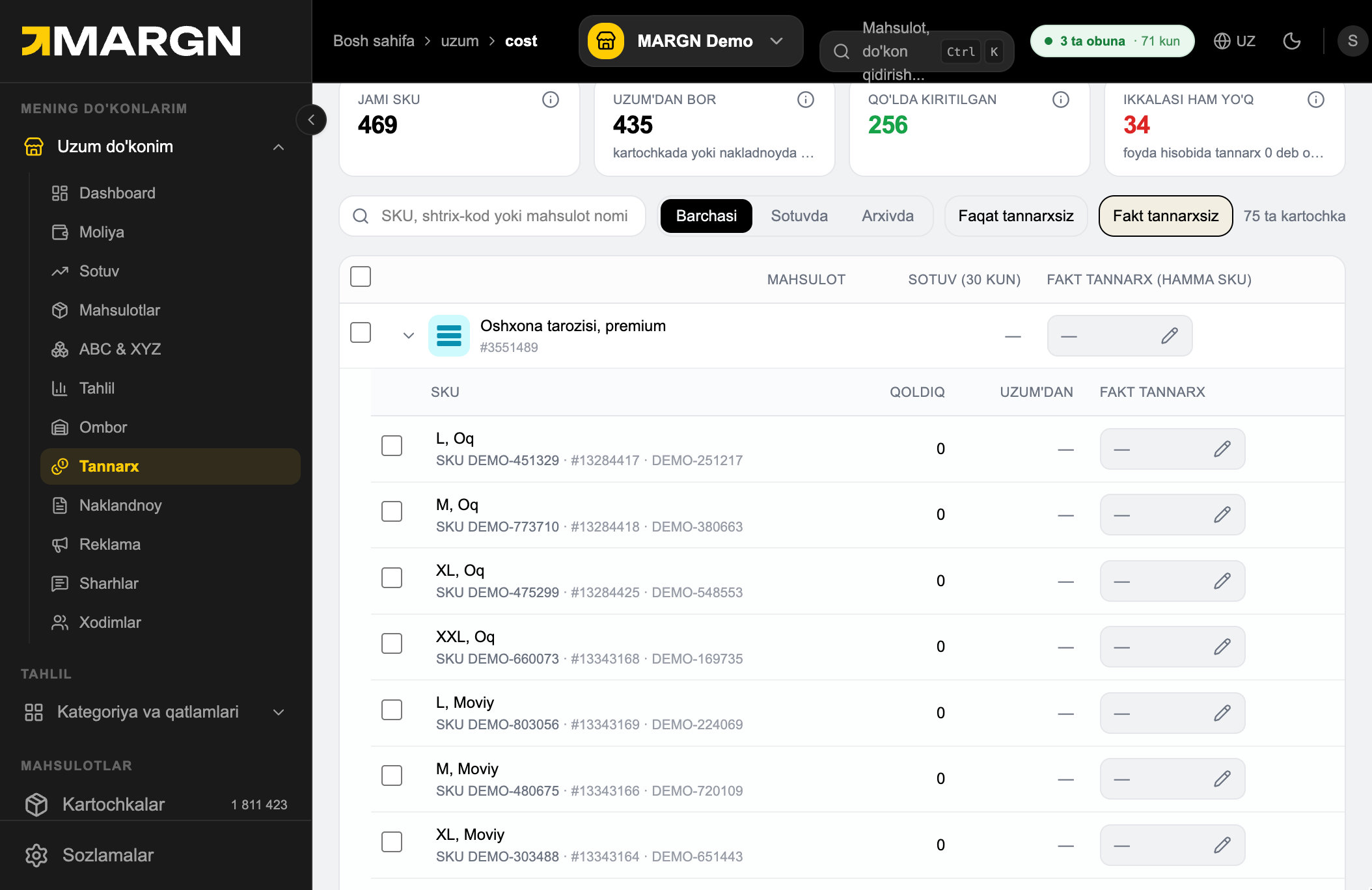
No cost only — products with no cost at all; No actual cost — not entered manually. On the right: how many are left.
The arrow on a product row expands its SKUs — enter cost separately for each colour and size.
Enter cost prices right in the table: click the pencil and type the amount.
Checkboxes — select several products or SKUs.
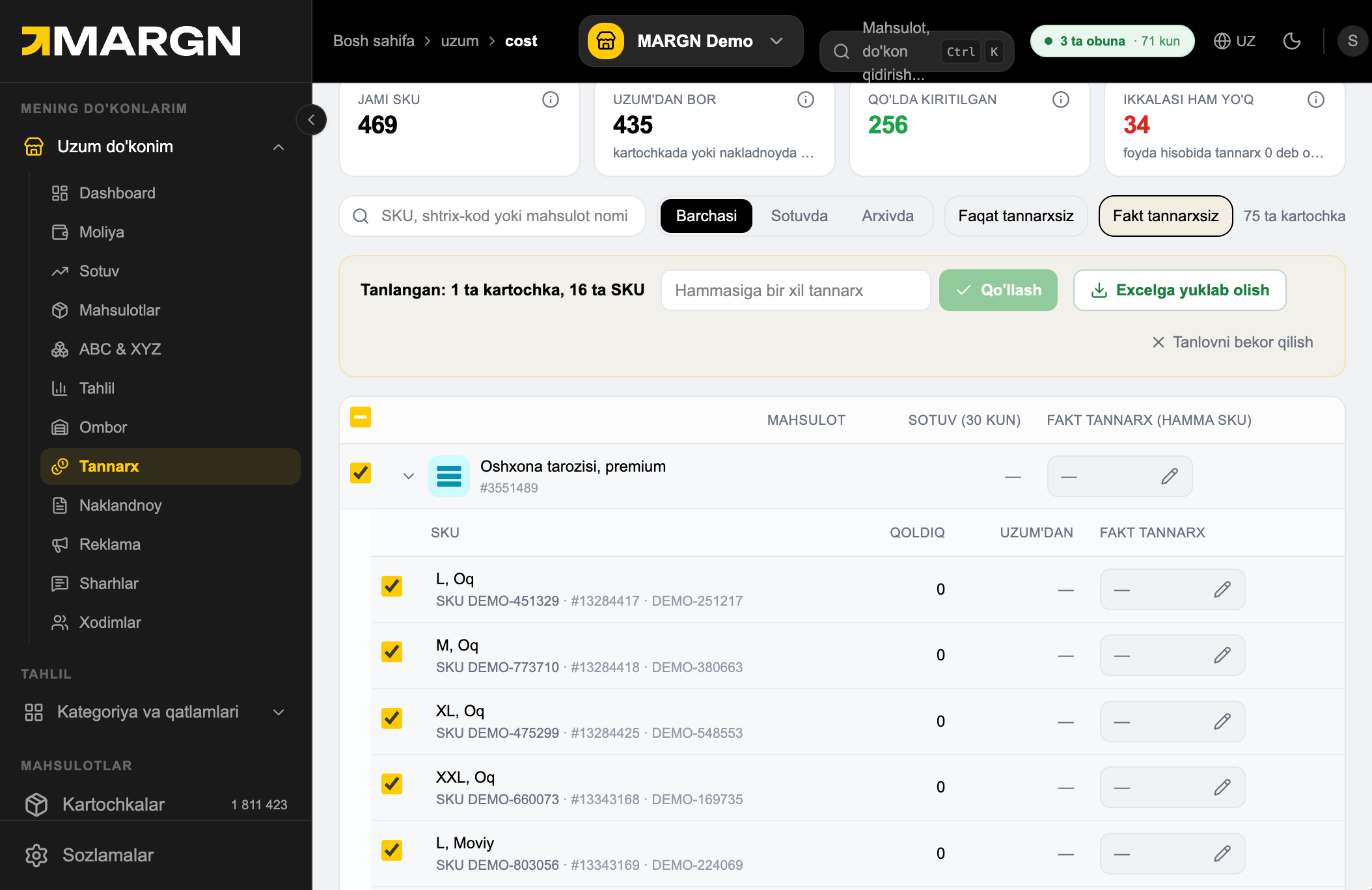
The bar on top: type one cost and click Apply — it is set for all selected SKUs.
Download to Excel — a file with only the selected items. Cancel selection clears the ticks.
For many SKUs: Excel orqali kiritish → download the sheet.
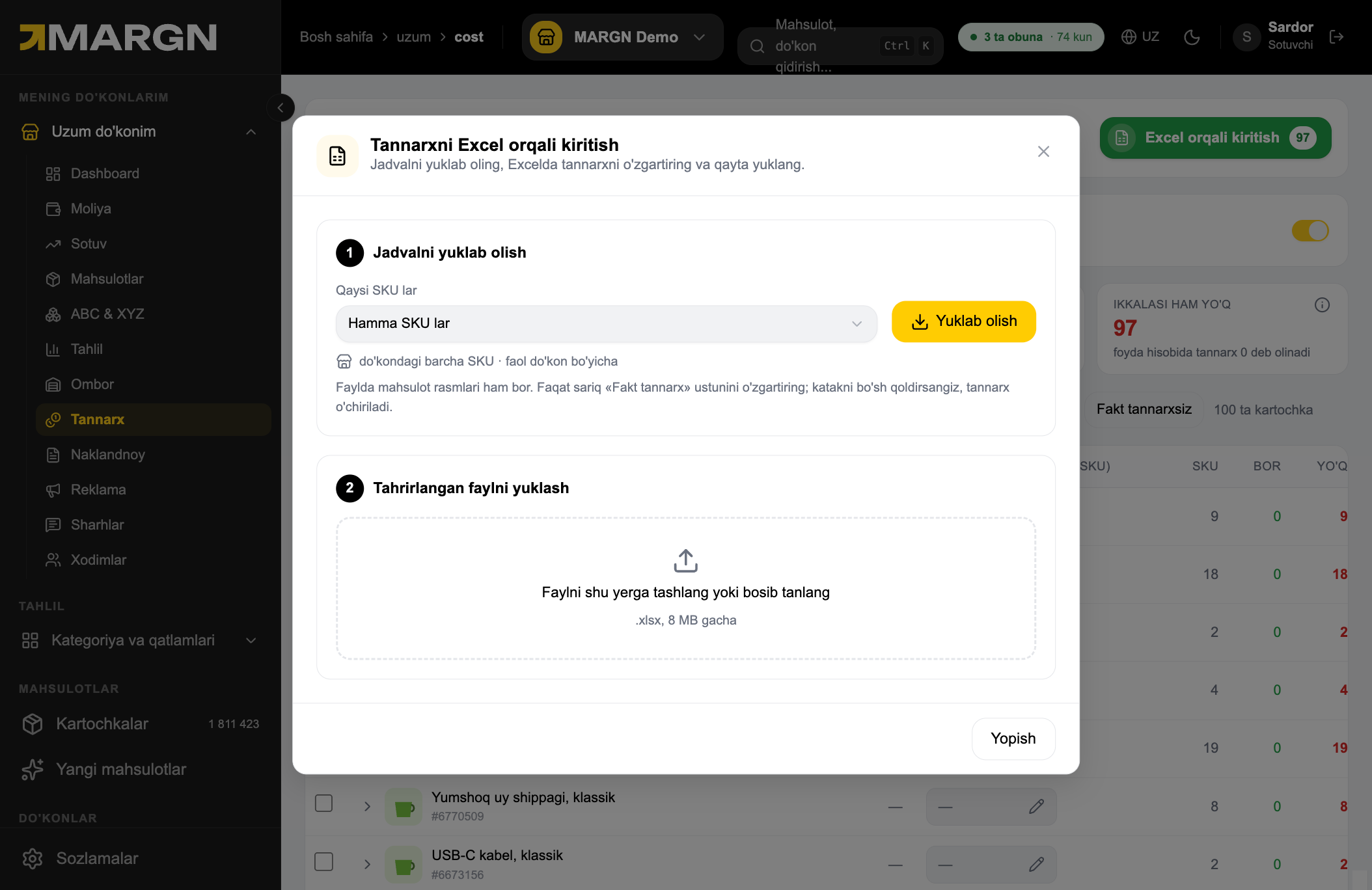
Fill in the yellow Fakt tannarx column and drop the file here.
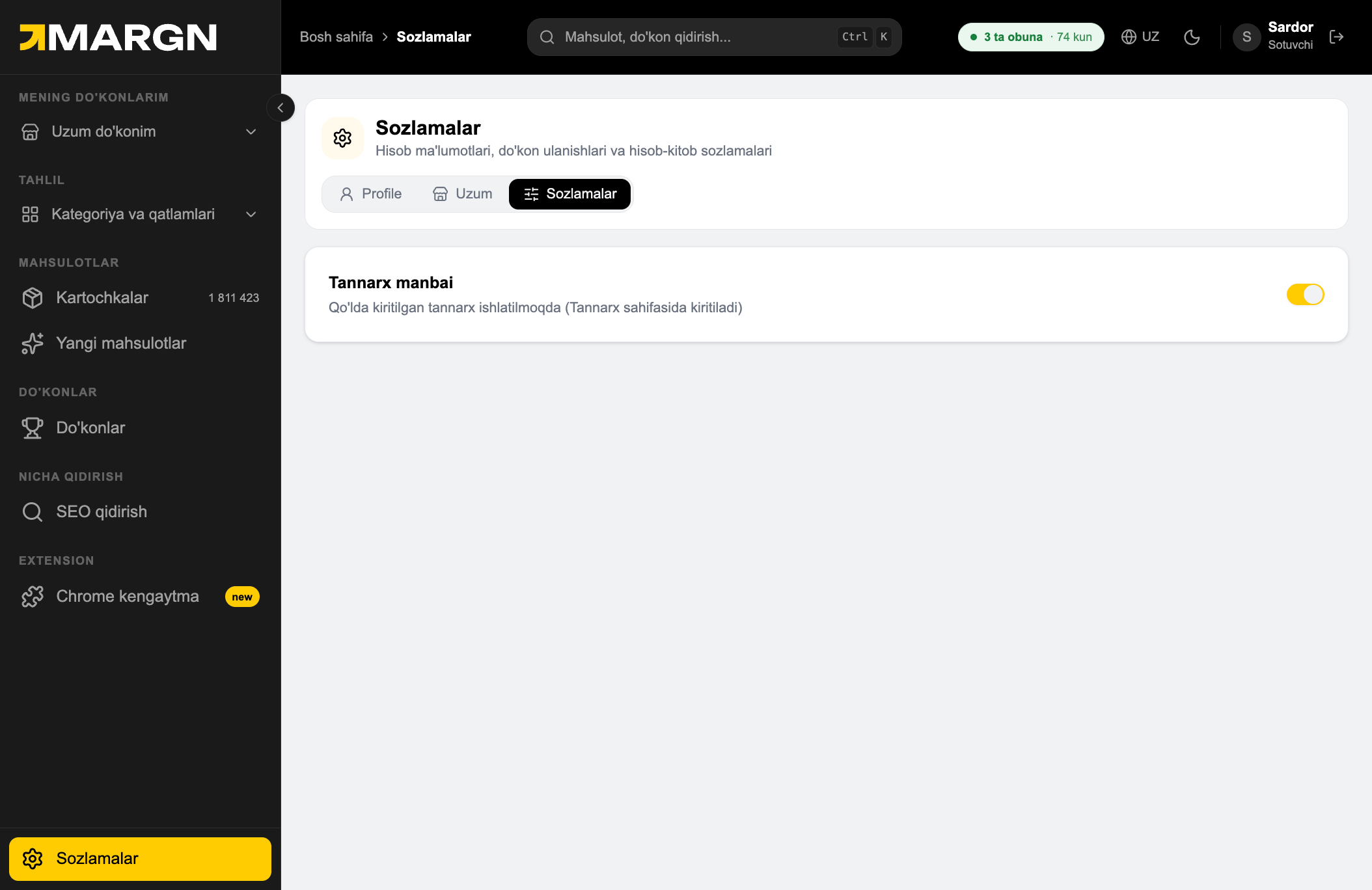
In Sozlamalar, keep manual cost prices switched on — otherwise the Uzum value is used.